Deployment
1. Deployment Overview
Section titled “1. Deployment Overview”This document outlines the deployment strategy for the Sports Live Tracker project. It covers deployment platform choice, integration reviews, and CI/CD pipeline setup.
Objectives:
- Ensure the application is accessible to end users.
- Maintain stability and reliability in the live environment.
- Automate deployments and tests to prevent broken releases.
- Track versions and roll back if necessary.
2. Deployment Platform Choice
Section titled “2. Deployment Platform Choice”Platform Selected: Render
Section titled “Platform Selected: Render”- Reasoning:
- Supports full-stack Node.js + React deployments.
- Easy GitHub integration for automatic builds.
- Free tier for testing and development.
- Built-in environment variable management.
- Provides logs for monitoring runtime errors.
Screenshot placeholder: Deployment Platform Dashboard

3. Deployment Process
Section titled “3. Deployment Process”3.1 Branching & Versioning
Section titled “3.1 Branching & Versioning”- Feature and fix branches (
feature/*,fix/*) are merged intomain. - Only
mainis deployed to the live environment. - Semantic versioning tags (v1.0.0, v1.1.0) mark release points.
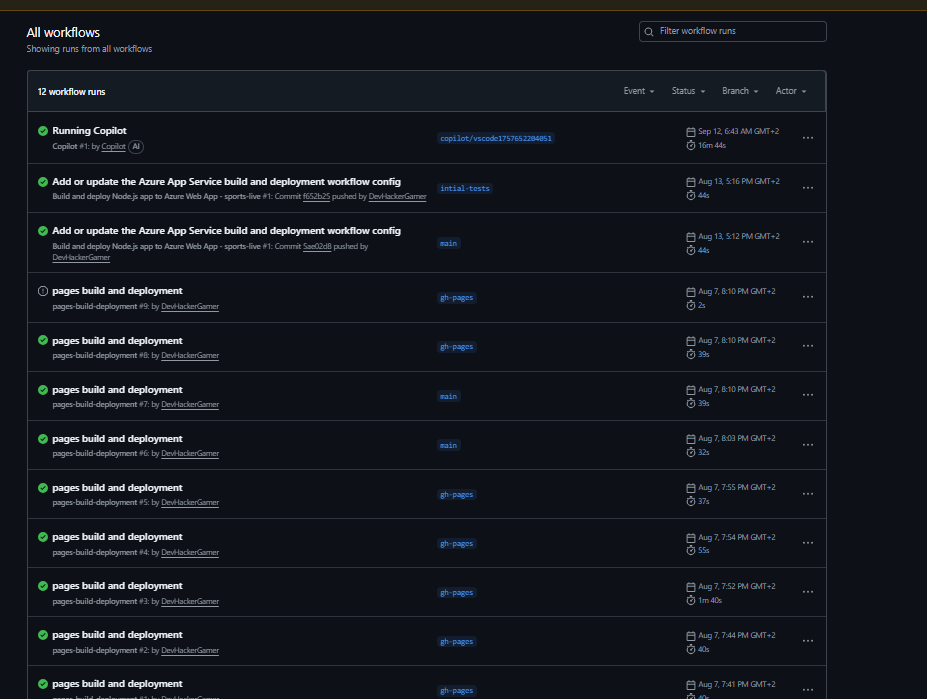
3.2 CI/CD Pipeline
Section titled “3.2 CI/CD Pipeline”- Trigger: Push or merge into
mainbranch. - Steps:
- Pull latest code from
main. - Install dependencies (
npm install). - Run tests (
npm test). - Build frontend (
npm run build). - Deploy to Render environment.
- Pull latest code from
Screenshot placeholder: CI/CD Workflow
3.3 Post-Deployment Checks
Section titled “3.3 Post-Deployment Checks”- Verify live application matches sprint deliverables.
- Check API endpoints using Postman or automated scripts.
- Confirm database connectivity and authentication.
- Monitor logs for runtime errors.
Screenshot placeholder: Deployment Logs
4. Integration Review
Section titled “4. Integration Review”- Backend and frontend were tested in staging environment before production deployment.
- User authentication flows verified after deployment.
- Database CRUD operations confirmed via live environment.
Screenshot placeholder: Staging / Integration Testing
5. Rollback & Recovery
Section titled “5. Rollback & Recovery”- Each deployment is linked to a Git tag, allowing rollback if critical bugs appear.
- Manual rollback steps:
- Checkout previous stable commit:
git checkout v1.0.0 - Deploy to Render
- Verify functionality
- Checkout previous stable commit:
Screenshot placeholder: Version Tags / Rollback
6. References & Resources
Section titled “6. References & Resources”- Render Docs: https://render.com/docs
- GitHub Actions: https://docs.github.com/en/actions
- CI/CD Best Practices: https://www.atlassian.com/continuous-delivery
- Deployment Strategies: https://martinfowler.com/bliki/DeploymentPipeline.html